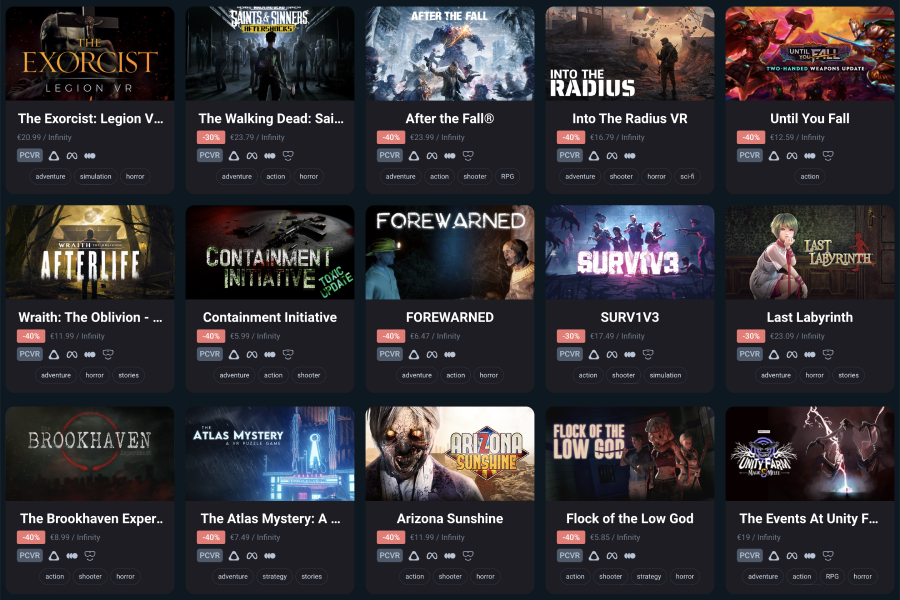
Horror Virtual Reality Games: Step Into Your Worst Nightmares
Horror Virtual Reality Games: Fear Like Never Before
Horror games have always relied on atmosphere, suspense and the fear of what might be hiding just out of sight. Virtual reality takes those ingredients a step further. Instead of watching the action through a screen, players feel as though they are standing inside the game’s world—where every creaking floorboard, distant footstep and sudden movement can seem unnervingly close.
Why horror works so well in VR
Virtual reality creates a powerful sense of presence. Players can look around a room, peer into dark corners and feel surrounded by the environment. Headphones add to the effect, making sounds seem to come from specific directions. A quiet whisper behind you or a door rattling nearby can become surprisingly convincing.
VR also makes players feel more involved. Rather than simply watching a character investigate a haunted house, you might reach for a torch, open a cupboard or decide whether to enter a shadowy corridor. That sense of control can make the experience more immersive—and the consequences feel more personal.
Different kinds of VR horror
Not every horror game is built around sudden scares. Some focus on tension and exploration, inviting players to uncover a story as they move through eerie locations. Others feature puzzles, supernatural threats or survival challenges where resources are limited and every decision matters.
- Atmospheric horror: Slow-building suspense, unsettling settings and carefully placed sounds.
- Survival horror: Threats to avoid or overcome, often with scarce supplies and difficult choices.
- Psychological horror: Strange events and unreliable perceptions that keep players guessing.
- Jump-scare horror: Sudden shocks designed to catch players off guard.
Getting started
If you are new to VR horror, start with a shorter experience or a game that lets you adjust its comfort settings. Check the age rating and content information before playing, particularly if the game includes graphic violence, intense themes or frightening imagery. Watching a trailer or reading a description can help you decide whether a title is right for you.
It is also worth setting up your play area before putting on a headset. Clear away furniture and loose objects, use your headset’s boundary system, and make sure you have enough room to move safely. Keep the headset’s fit comfortable and take it off if you feel dizzy, unsettled or overwhelmed. A break is always better than pushing through discomfort.
Making the experience enjoyable
Horror is best enjoyed at a pace that feels comfortable. You could begin with the room lights on, lower the volume or play with a friend nearby. If a game becomes too intense, pause it or switch to something lighter. The aim is to have fun, not to prove how long you can stay frightened.
Virtual reality can make horror games remarkably immersive, transforming familiar scares into experiences that feel immediate and personal. Whether you prefer a creeping mystery or a full-on survival challenge, there is a style of VR horror to suit different tastes. Choose carefully, play safely and remember: in a headset, even an empty corridor can feel like it is waiting for you.
9 Essential Safety Tips for Enjoying Horror Virtual Reality Games
- Clear your play area before starting.
- Use the wrist strap on your controllers.
- Adjust the headset for a comfortable fit.
- Set a boundary with plenty of space.
- Take breaks if you feel dizzy or uneasy.
- Keep the volume at a safe level.
- Start with shorter sessions if you’re new to VR.
- Pause if the scares feel overwhelming.
- Check your surroundings before removing the headset.
Clear your play area before starting.
Before starting a horror VR game, clear your play area of furniture, cables and other obstacles. Immersive scares can make you instinctively step back, turn quickly or reach out, so give yourself enough room to move safely. Check your headset’s boundary settings, keep pets and other people out of the space, and take off the headset if you feel disorientated.
Use the wrist strap on your controllers.
Always use the wrist straps on your VR controllers, especially when playing horror games that might make you flinch, jump or swing your arms suddenly. A secure strap helps prevent a controller from flying across the room, damaging equipment or hitting someone nearby. Check that each strap fits comfortably around your wrist before you start, and keep enough clear space around you to play safely.
Adjust the headset for a comfortable fit.
Before starting a horror VR game, adjust the headset so it feels secure without being too tight. Position the lenses clearly in front of your eyes and tighten the straps evenly to reduce slipping and pressure. A comfortable fit helps you stay immersed in the game and makes it easier to enjoy the experience without distraction.
Set a boundary with plenty of space.
Set up a clear play area with plenty of space before starting a horror VR game. You may step, turn or reach out suddenly when startled, so move furniture and remove loose objects that could cause trips or bumps. Use your headset’s boundary system, keep pets and other people out of the area, and stop playing if you feel unsure of your surroundings.
Take breaks if you feel dizzy or uneasy.
If you start to feel dizzy, nauseous or uneasy while playing a horror VR game, pause the game and take off your headset. Sit down somewhere comfortable, get some fresh air and give yourself time to feel better before deciding whether to play again. Taking regular breaks can help you stay comfortable and enjoy the game safely—there’s no need to push through discomfort.
Keep the volume at a safe level.
Keep the volume at a safe, comfortable level when playing horror VR games. Loud effects can make sudden scares feel more intense and may harm your hearing, especially during long sessions. Make sure you can still hear people and important sounds around you, and lower the volume or take a break if it feels uncomfortable.
Start with shorter sessions if you’re new to VR.
If you’re new to VR, start with short sessions, especially when playing horror games. A headset can make frightening scenes feel very intense, and getting used to the visuals and controls takes time. Take regular breaks, and stop if you feel uncomfortable, dizzy or overwhelmed. As you become more familiar with VR, you can gradually play for longer.
Pause if the scares feel overwhelming.
If a horror VR game starts to feel overwhelming, pause it and take off your headset for a while. The experience can feel especially intense when you’re immersed in the game, so give yourself time to relax, get some fresh air or have a drink of water before deciding whether to continue. There’s no need to push through a scare—playing should be enjoyable, and taking a break is always OK.
Check your surroundings before removing the headset.
Before removing your headset, pause and check where you are in the real world. VR can make it easy to lose track of nearby furniture, walls, pets or other people, so use your headset’s boundary view or ask someone nearby to guide you if needed. Once you know you have clear space, lift the headset off carefully to avoid bumping into anything or becoming disorientated.