Virtual Reality Games on PS5: The Best Experiences to Play
Virtual Reality Games on PS5: A Guide to Playing in VR
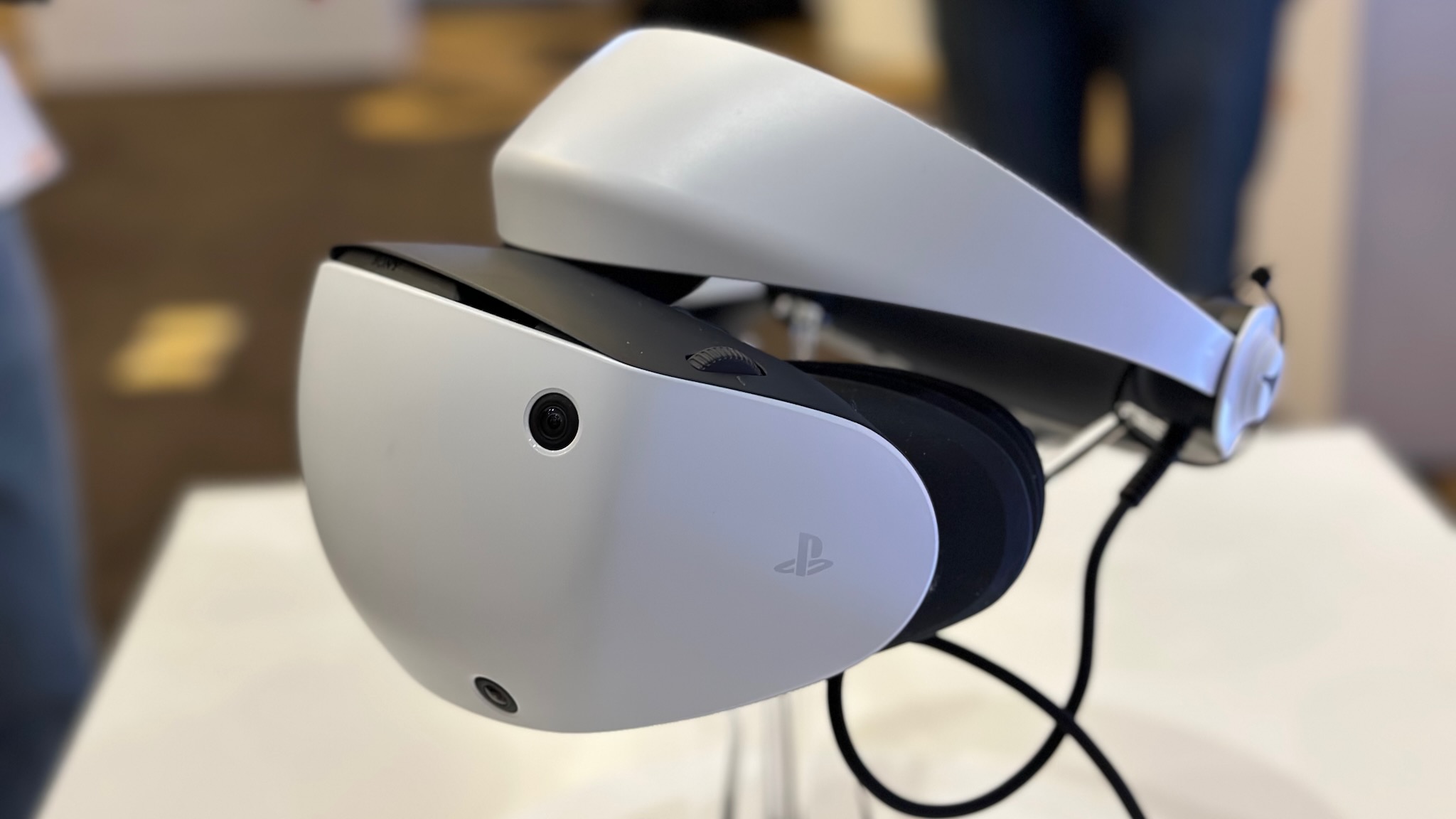
Virtual reality brings games to life by placing you inside the action. On PlayStation 5, the main way to experience VR is with PlayStation VR2 (PS VR2), a headset designed for PS5. From mountain-climbing adventures to realistic racing, its games offer a very different kind of play from using a television and controller.
What do you need to play PS5 VR games?
You’ll need a PS5 console and a PS VR2 headset. The headset connects to the console with a single cable and includes features such as eye tracking, motion controls and vibration feedback. Some games also support a standard DualSense controller, while others are designed around the PS VR2 Sense controllers.
Check the game’s product page before buying: not every PS5 game supports VR, and some titles have a separate VR mode rather than being built entirely for virtual reality. PS VR2 games also require a PS VR2 headset; the original PS VR headset is a different system with its own compatible games.
Popular PS VR2 games to try
- Horizon Call of the Mountain: Explore the world of Horizon from a first-person perspective, climbing cliffs, solving puzzles and facing machines.
- Gran Turismo 7: Race from the driver’s seat in VR, with a view around the cockpit that makes the experience feel especially immersive.
- Resident Evil Village and Resident Evil 4: Step into tense survival-horror adventures. These VR modes are best suited to players comfortable with intense scenes and close-up action.
- No Man’s Sky: Explore planets, pilot spacecraft and build in a vast science-fiction universe, with VR support bringing a new sense of scale to its worlds.
- Beat Saber: Slice through coloured blocks in time with the music. Its simple controls make it an energetic choice for newcomers and experienced VR players alike.
- Walkabout Mini Golf: Play imaginative courses solo or with friends, making it a relaxed option for a social VR session.
- Kayak VR: Mirage: Paddle through detailed natural environments at your own pace, with an emphasis on scenery and atmosphere.
Choosing the right VR game
Think about the kind of experience you enjoy. If you like fast-paced action, try a rhythm game or an arcade-style adventure. For exploration, choose a game with open environments. Racing and sports games can feel wonderfully immediate in VR, while puzzle games offer a slower introduction to the headset.
It’s also worth checking whether a game is comfortable for you. Smooth movement and rapid turns can cause discomfort for some players, particularly when they are new to VR. Games with teleport movement or stationary play may be a gentler place to start.
Tips for a comfortable session
- Set up the play area according to the headset’s instructions and move furniture or other obstacles out of the way.
- Adjust the headset carefully so the image looks clear and feels secure.
- Begin with shorter sessions and take regular breaks.
- If you feel dizzy, uncomfortable or unwell, stop playing and take a break.
- Check age guidance and any game-specific content information before letting children play.
Is PS5 VR worth exploring?
PS VR2 can make familiar genres feel fresh and give players a more immediate connection to game worlds. It does require a separate headset, and not every PS5 title is playable in VR, so it’s sensible to check the games and setup before buying. For players who enjoy immersive adventures, realistic racing or active games, PS5 virtual reality offers plenty of ways to step into the action.
9 Essential Tips for Playing PS VR2 Games on PS5
- Check that the game supports PS VR2 before buying.
- Clear a safe space around your play area.
- Adjust the headset for a sharp, comfortable view.
- Use the wrist straps on your controllers.
- Take regular breaks to avoid eye strain.
- Start with shorter sessions if you’re new to VR.
- Keep your headset lenses out of direct sunlight.
- Use headphones for a more immersive experience.
- Update your PS5 and headset for the latest features.
Check that the game supports PS VR2 before buying.
Before buying a virtual reality game for PS5, check that it specifically supports PlayStation VR2 (PS VR2). Not every PS5 game works with a VR headset, and some titles may offer only a separate VR mode or require particular controllers. Checking the game’s product page or packaging helps you avoid disappointment and ensures you have the equipment needed to play.
Clear a safe space around your play area.
Before putting on your PS VR2 headset, clear a safe space around your play area by moving furniture, toys, cables and other obstacles out of the way. Make sure there’s enough room to move your arms and take a step without bumping into anything, and keep pets and other people clear while you play. A quick check of your surroundings can help you enjoy the game more safely and comfortably.
Adjust the headset for a sharp, comfortable view.
Before starting a PS5 VR game, adjust the headset so it feels secure without pressing uncomfortably on your face. Move the headset into position and use the adjustment controls to find the clearest view; the image should look sharp, with text and details easy to see. If the picture seems blurry or the headset feels uncomfortable, pause and readjust it rather than trying to play through the discomfort.
Use the wrist straps on your controllers.
Always use the wrist straps on your PS VR2 Sense controllers, especially when playing active games. Slip each strap over your wrist and adjust it so the controller stays secure without feeling tight. This helps prevent accidental drops or damage if a controller slips from your hand during an enthusiastic swing.
Take regular breaks to avoid eye strain.
When playing virtual reality games on PS5, take regular breaks to give your eyes a rest and help reduce eye strain. Pause every so often, remove the headset and focus on something in the distance. If your eyes feel tired or uncomfortable, stop playing until they feel better.
Start with shorter sessions if you’re new to VR.
If you’re new to VR, start with short sessions and give yourself time to get used to the headset and movement. Take regular breaks, and stop playing if you feel dizzy, uncomfortable or unwell. You can gradually play for longer as you become more comfortable.
Keep your headset lenses out of direct sunlight.
Keep your PS VR2 headset lenses out of direct sunlight, even when you’re not using them. Sunlight passing through the lenses can concentrate on the display and cause permanent damage. Store the headset somewhere cool and shaded, and avoid leaving it near windows or in bright outdoor areas.
Use headphones for a more immersive experience.
For a more immersive PS5 VR experience, try wearing headphones while you play. Clear, directional sound can make it easier to hear what’s happening around you and feel more connected to the game world. Choose a comfortable pair, keep the volume at a safe level and make sure you can still hear people or important sounds nearby.
Update your PS5 and headset for the latest features.
Keep your PS5 console and PS VR2 headset up to date to benefit from the latest features, improvements and compatibility fixes. Before playing, check for system and headset updates in the console’s settings and install any available updates, following the on-screen instructions. Keeping your equipment current can help your VR games run smoothly and ensure you have access to the newest supported features.